Telegram Verification Number: Receive SMS Online Safely
Telegram Verification Number: A Practical Guide to Online OTPs
Phone verification is now a standard security step for Telegram, WhatsApp, Discord, X/Twitter, Amazon, PayPal, and ChatGPT. Whether you are opening a new account, testing an application, or keeping your personal number private, a reliable telegram verification number can make the process simpler. Many users also search for ways to receive SMS online when they need a one-time password, commonly called an OTP.
However, not every online number is equally dependable. Some public inboxes are already associated with many accounts, while others are monitored by strangers or do not support the service you need. This guide explains how virtual numbers work, how to choose a safer provider, and what to do when an OTP does not arrive.
What Is a Telegram Verification Number?
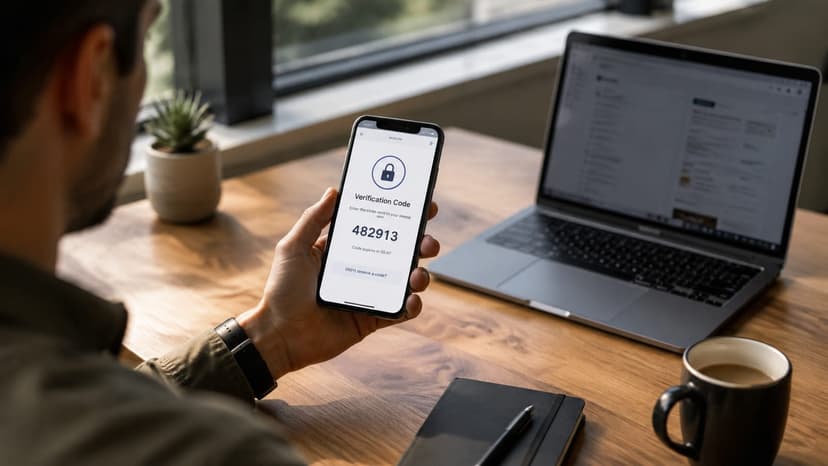
A Telegram verification number is a phone number used to receive the SMS or automated call required when registering or signing in to Telegram. It may be a traditional mobile number, a dedicated virtual number, or a temporary rental provided for a specific verification session.
Telegram sends a short code to confirm that the person controlling the account also controls the phone number. Depending on the account and device, Telegram may deliver the code by SMS, voice call, or directly inside an existing Telegram session. A number rented from a reputable provider can be useful when you do not want to expose your personal number or need a number from another country.
Temporary numbers versus dedicated numbers
- Temporary numbers: Usually rented for one verification attempt and suitable for short-term projects or account testing.
- Dedicated numbers: Assigned to one customer for longer access and better suited to accounts that may require future verification.
- Public inbox numbers: Visible to many users and generally unsuitable for private accounts, financial services, or long-term ownership.
Before choosing an option, consider whether the platform might request another verification code later. A number that is available only once may not be appropriate for an account you plan to keep.
How to Receive SMS Online for Verification
The basic process is straightforward, but careful preparation improves the chance of success. The exact screens vary by service, yet the workflow is usually similar.
- Select the service: Choose Telegram, WhatsApp, Discord, X/Twitter, Amazon, PayPal, or another supported platform.
- Choose a country and number: Select a country that the platform accepts. Local availability and pricing can change.
- Enter the number correctly: Use the full international format, including the country code, and do not add an extra leading zero.
- Request the OTP: Submit the number on the official service and wait for the SMS to arrive.
- Copy the code: Enter the OTP promptly. Most codes expire after a short period and can be used only once.
- Release or retain the number: Follow the provider’s rules. Keep a dedicated number if the account may need recovery later.
Tip: Keep the verification page open, but avoid repeatedly requesting new codes. Too many attempts can trigger a temporary rate limit or invalidate an earlier OTP.
Why online SMS delivery can be useful
Online SMS reception is helpful for separating personal communication from business accounts, testing sign-up flows, and working with international services. Developers can use it to verify user journeys in different markets, while privacy-conscious users may prefer not to publish their everyday phone number across multiple platforms.
That convenience does not remove the need for responsible use. Always follow the terms of the platform you are using. A virtual number should not be used to impersonate another person, evade a legitimate security control, create fraudulent accounts, or access services without authorization.
Choosing a Reliable OTP Number Provider
The provider you select has a direct impact on delivery speed, privacy, and account stability. A low price alone is not enough. Review the following factors before ordering a number.
1. Service and country coverage
Some providers offer numbers only for a small group of popular apps. Others support hundreds of services across many countries. Check that the exact platform you need is listed before paying, especially if you are verifying less common services or a business account.
2. Delivery speed
A good OTP service should show incoming messages quickly. Delays are frustrating because verification codes expire. Look for transparent information about average delivery times and a clear process for cancelling or replacing a number when no message arrives.
3. Number quality and reuse policies
Numbers that are frequently recycled may already have a history on Telegram or another platform. This can lead to messages such as “too many attempts,” “number banned,” or “this number is already registered.” Providers with better inventory management usually offer a more consistent experience.
4. Pricing transparency
Understand whether you pay for an activation, a time period, a received message, or a replacement attempt. Transparent pricing helps you avoid unnecessary charges when a service rejects a number or an OTP never arrives.
5. Privacy and account protection
Do not use a public inbox for sensitive accounts. Anyone who can view incoming messages may potentially see the code. For important profiles, consider a private or dedicated number, enable two-factor authentication, and store recovery details securely.

BinOTP for Telegram and Other Verification Services
For users who want broad coverage and a simple workflow, BinOTP is one concrete example of an online OTP provider. It rents virtual phone numbers for receiving verification codes across more than 180 countries and over 400 services, including Telegram, WhatsApp, Discord, X/Twitter, Amazon, PayPal, and ChatGPT.
Its pay-per-success approach is useful when you do not want to commit to a monthly plan: you pay when a code actually arrives. Codes commonly arrive in about five seconds, although delivery depends on the platform and the selected number. Developers can also use the available API to connect verification workflows with internal testing tools or automated applications.
💡 Suggested solution: BinOTP
- ✅ 180+ countries, 400+ services supported
- ✅ Codes usually arrive within 5 seconds
- ✅ You only pay when a code actually arrives — from $0.08
- ✅ Developer API for easy integration
Common OTP Problems and How to Fix Them
The code does not arrive
First, wait a short time rather than requesting several codes in succession. Confirm that the number and country code were entered correctly, then refresh the inbox if the provider offers that option. If the platform reports that the number is unsupported, release it and select another number or country.
The OTP has expired
Codes are time-sensitive. Enter the newest code as soon as it appears and ignore older messages. If you requested several codes, only the most recent one may work. When repeated attempts fail, close the sign-in page, wait for the platform’s cooldown period, and try again once.
The number is already registered
This is common with heavily recycled numbers. Do not attempt to take over an account that belongs to someone else. Instead, cancel the activation and request a different number. A provider with a large inventory is more likely to offer alternatives.
Telegram asks for an additional password
Telegram accounts can have two-step verification enabled. An SMS code confirms the number, but it does not replace the account’s additional password. If you are creating your own account, set a strong password and add a recovery email where appropriate. If you are trying to access an existing account without authorization, stop and contact Telegram through its official support channels.
The platform blocks virtual numbers
Some services restrict VoIP or temporary numbers to reduce spam and abuse. This is a platform policy, not necessarily a provider failure. Check the service’s rules and use an eligible personal or business number when required. Never try to bypass a restriction for fraudulent or deceptive purposes.
Security Best Practices for Verification Codes
- Never share an OTP with another person, even if they claim to be support staff.
- Use only official apps and websites when entering a verification code.
- Check the domain carefully before signing in or submitting an SMS code.
- Use a unique password and enable an authenticator app or security key when available.
- Avoid public numbers for PayPal, Amazon, banking, or other accounts containing financial information.
- Keep recovery codes in an encrypted password manager or another secure location.
- Review active sessions and revoke devices you do not recognize.
Remember that an SMS OTP is convenient but not the strongest possible form of authentication. SIM-swap attacks, number recycling, malware, and phishing can all weaken SMS-based security. For valuable accounts, combine phone verification with a strong password, app-based two-factor authentication, or a hardware security key.
When Should You Use a Virtual Number?
A virtual number can be appropriate for short-term testing, international customer support experiments, separating work from personal communications, or protecting your everyday number from unnecessary exposure. It can also help developers verify whether a product’s registration process works across different regions.
It is less suitable when you need permanent ownership, reliable account recovery, or a channel for private conversations. Before registering, ask yourself whether you may need the same number in six months. If the answer is yes, select a dedicated option or use a number you control long term.
Conclusion
A dependable telegram verification number can make account registration and international testing more convenient, while the ability to receive SMS online provides flexibility across Telegram, WhatsApp, Discord, X/Twitter, Amazon, PayPal, and ChatGPT. The most important considerations are number quality, delivery speed, privacy, transparent pricing, and compliance with each platform’s rules.
Use every OTP carefully, never share verification codes, and choose stronger authentication for sensitive accounts. If you need broad country coverage, fast code delivery, pay-per-success pricing, or API access, explore BinOTP as a practical option for virtual verification numbers.